AI Automation
From Manual Entry to Automated: How an AI Workflow Gets Built
This is the AI workflow automation case study I wish I had read when I started: an engineer-to-engineer walkthrough of how an enquiry pipeline actually gets designed, built, and hardened. The example is a representative Dubai real estate workflow, drawn from the patterns I built across the Elmora and Eira launch sites, where brochure requests and form submissions arrive from several channels and someone on the team ends up retyping everything into a spreadsheet.
There are no miracle numbers in this post. What you will get instead is the real sequence of decisions: how I scope the work, where a language model earns its place, where I deliberately keep it out, and the failure modes that decide whether an automation survives its first busy week.
Start with the manual process, not the model
Before I open an editor, I sit with the process as it runs today and write down every step someone performs by hand. For a real estate enquiry workflow that usually looks like this: a visitor submits a form or messages a number, someone copies the details into a CRM or sheet, someone else works out which project the enquiry is about, a brochure gets sent, and a salesperson follows up. Every handoff is a place where data can be lost, delayed, or silently mangled.
I capture four things for each step:
- Trigger — what event starts it (form submission, inbound message, status change)
- Input — what data arrives, in what shape, and how messy it can be
- Decision — what judgment is applied, and who applies it today
- Output — what the next step needs to receive
This exercise matters because it separates mechanical work from judgment. Most steps are simple transformations, and mechanical steps should be ordinary code. The judgment steps — is this a serious buyer or idle curiosity, which project actually fits their requirements — are the only candidates for a model. Skipping this mapping is how projects end up wrapping an LLM around a task that a database query would have handled.
Map the flow before you touch code
Once I have the step list, I draw the flow as one diagram with lanes for the system and lanes for humans. Two rules shape it:
- Every automation needs an owner. If something fails late at night, a named person or channel has to find out. Silent failures are how teams quietly lose leads for a month without noticing.
- The unhappy path gets designed first. Missing fields, spam submissions, an attachment the parser cannot read, an integration that times out — I describe those before the happy path. If I cannot say what happens when a step fails, the flow is not designed yet.
I also decide where the workflow stops and a human takes over. For enquiry routing, the system handles everything up to the point of a qualified, categorized lead, then a person approves the outbound message. That boundary is a product decision, not a technical one, and it belongs in writing before any code exists.
The architecture: trigger, queue, enrich, route, deliver
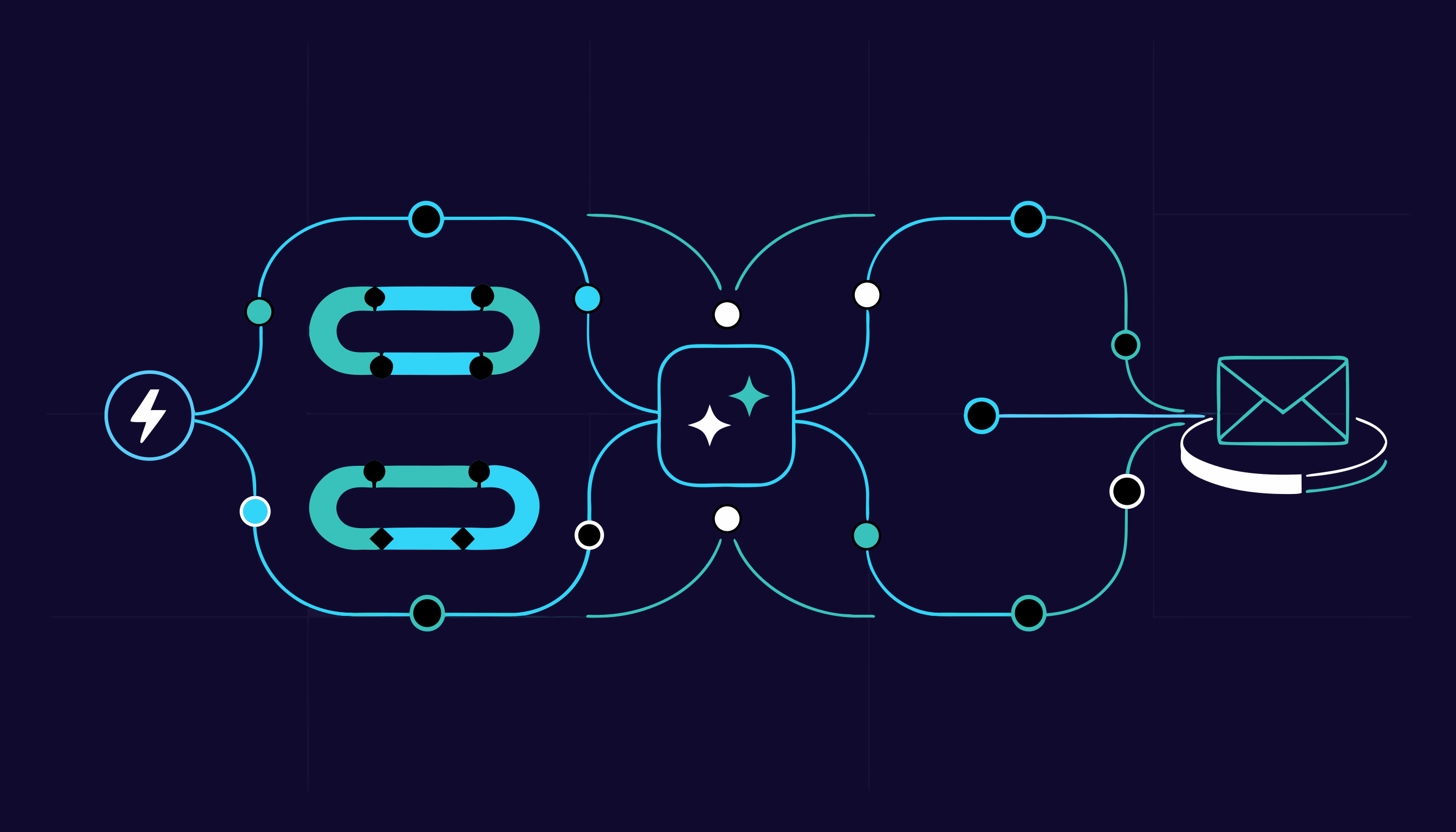
The shape I keep coming back to is a five-stage pipeline:
| Stage | Responsibility | Built with |
|---|---|---|
| Trigger | Receive events from forms, messaging, webhooks | Web endpoint or message webhook |
| Queue | Absorb bursts, enable safe retries | Managed queue or DB-backed jobs |
| Enrich | Normalize, parse, deduplicate, classify | Python services plus model calls |
| Route | Decide project, owner, and priority | Deterministic rules over AI output |
| Deliver | Notify humans and update the CRM | API calls plus templated messages |
A queue sits between the trigger and everything else on purpose. Inbound traffic is spiky — a new listing can go out on WhatsApp and produce a burst of messages — and a queue lets me retry a failed step without re-accepting the original submission. It also gives me a place to pause the whole pipeline when an integration is down, which is far calmer than dropping messages on the floor.
The enrichment stage is where parsing and normalization happen: phone numbers brought to one consistent format, free-text messages split into fields, duplicate submissions collapsed. I keep this stage deterministic wherever possible and hand only the genuinely ambiguous parts to a model — for example, pulling a budget range and preferred layout out of a paragraph of mixed-language text.
Routing is intentionally boring: rules over structured output. The model returns a category plus extracted fields, and plain code decides which project queue, which salesperson, and which reply template. That means I can change routing rules in minutes without touching a prompt, and I can test them like any other code.
Where AI earns its place in the workflow
Three tasks consistently justify a model in this kind of pipeline:
- Classification — sorting an enquiry into a project or intent category from free text
- Extraction — pulling structured fields out of unstructured messages and forwarded emails
- Drafting — composing a first-pass reply or lead summary for a human to approve
Everything else — validation, deduplication, lookups, scheduling, notifications — is better handled by conventional code. Models are slow, non-deterministic, and billed per call, so every one of them in the pipeline needs a job description I can defend in a design review.
Every model call returns structured output validated against a schema before it moves downstream. An unvalidated model response is just a string with confidence attached. If validation fails, the item does not crash the pipeline — it lands in a review list for a person to fix, alongside the raw input.
Designing for failure, retries, and human fallback
What separates a demo from something a sales team actually trusts is the behavior when things go wrong. My defaults:
- Retries with backoff for transient errors, with a maximum attempt count so a permanently broken integration does not loop forever.
- Dead-letter handling. Anything that exhausts retries lands in a visible list with its payload, not in a log file nobody opens.
- Idempotency keys on every side effect, so a retried webhook does not create a duplicate enquiry or send a second brochure.
- A human fallback queue for low-confidence classifications and schema failures. A person resolves each case in seconds, and that decision is exactly the labeled data I later use to improve the classification step.
That last point is the quiet compounding benefit of this architecture: the exception queue doubles as a labeling pipeline. The workflow gets better on the cases that actually matter to the business, without me hand-labeling a synthetic dataset.
Trade-offs I accepted on purpose
No architecture survives contact with reality without compromises, so here are the ones I made deliberately:
- Rules over autonomy. Decisions live in code rather than letting an agent choose its own tools. It is less flexible, but it is auditable, testable, and I can explain every routing decision to a stakeholder.
- One pipeline, not many. A single enrichment path with a category field beat building a bespoke flow per project. Adding a project became configuration instead of new code.
- Human review stays in the loop for outbound messages. Drafting is automated; sending is approved. A few seconds of review buys a lot of trust.
- Model choice per task. Classification and extraction do not need the strongest model available, while drafting benefits from a better one. I match the model to the step and keep a cheaper fallback ready if a provider has a bad day.
If you want the wider context for where agents fit versus plain automation, I wrote AI agents vs workflow automation to lay out that distinction.
FAQ
How long does an AI workflow automation project take?
It depends almost entirely on how well the manual process is documented and how many systems the workflow has to touch. A single well-scoped pipeline with one or two integrations can be built and tested in a few weeks; the surprises come from authentication, rate limits, and messy historical data, not from the AI step.
Do I need an LLM for every step?
No, and you probably should not want that. Most steps are transforms, lookups, and notifications that belong in ordinary code — I reserve models for classification, extraction, and drafting, where the input is genuinely unstructured.
What happens when the model gets something wrong?
Low-confidence or invalid outputs are routed to a human review queue instead of reaching the customer. Over time, those reviewed cases become the labeled examples used to tune prompts and rules.
Can this integrate with the tools we already use?
Usually yes. The delivery stage talks to your CRM, messaging, or email through their normal APIs, so the workflow slots in behind whatever your team already uses rather than forcing a migration.
If you have a repetitive process that is eating your team's day, I can map it with you and show you what automating it actually involves — get in touch and let's walk through your workflow together. You can also see selected work for the systems behind these patterns.