Full-Stack
Designing CRM & HRM Systems People Actually Use
CRM HRM system design is mostly a people problem wearing a database costume. The systems that fail rarely fail because the schema was wrong — they fail because nobody modeled how work actually moves through the company, so the software became a place employees avoid and a spreadsheet they keep "temporarily." I've built CRM and HRM systems as part of my full-stack work for years, and the difference between a tool people open every morning and one that gets abandoned by month three comes down to a handful of design decisions made early.
Here's how I make those decisions.
Why Most CRM and HRM Implementations Get Abandoned
The pattern is consistent. A team buys or builds a system based on a feature list, imports six years of historical data, and asks everyone to change their habits on the same day. Adoption stalls. Sales keeps deals in their own notes, HR keeps leave requests in chat threads, and the "source of truth" quietly splits in two.
The root cause is almost always that the system was designed around entities instead of workflows. A CRM modeled as "accounts, contacts, opportunities" is technically correct and practically useless if it doesn't reflect how your reps actually progress a deal. An HRM modeled as "employees, contracts, leave balances" misses the fact that most HR work is a queue of requests with deadlines and approvers.
Design for the queue first, the tables second.
Data Model Boundaries: Where CRM Ends and HRM Begins
In small companies, CRM and HRM blur together — the same person is a contact, a vendor, and eventually an employee. In the data model, keep the boundaries explicit anyway:
- CRM owns external relationships: companies, contacts, deals, communications, enquiries. Everything with a lifecycle that ends in revenue or doesn't.
- HRM owns internal people: employees, roles, contracts, attendance, leave, performance cycles. Everything with a lifecycle that ends in an offboarding checklist.
- Shared references, not shared tables: an employee who was once a lead should be two records linked by a field, not one record with nullable columns that mean different things depending on context.
This matters practically. When an enquiry form on a marketing site lands in the CRM, it should flow through qualification without ever touching HR data. When someone is hired, the transition is a documented handoff between systems, not a merge. Every merge you skip is a filtering bug you never have to write.
Permissions and Roles: The Part Everyone Underestimates
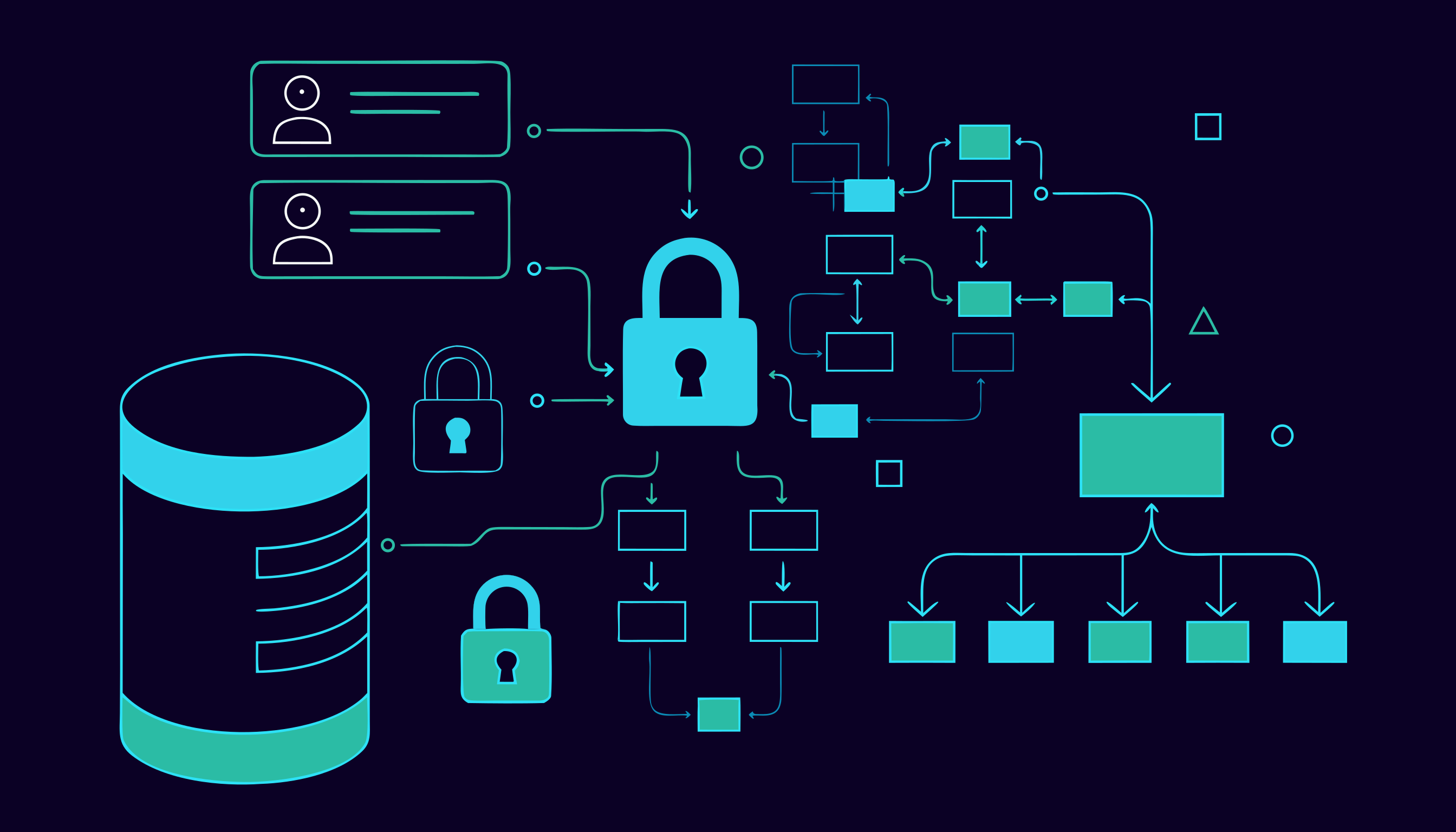
Permission design is where CRM HRM system design earns its keep, and it's where I spend disproportionate time. The mistake is modeling permissions as a binary admin/user split and then bolting on exceptions. Real systems need scoped, composable access:
- Sales managers see their team's pipeline, not the whole company's comp data.
- HR sees salaries and contracts; team leads see only attendance and leave status.
- Employees see themselves, and only their own records.
- Audit trails on anything sensitive: who viewed it, who changed it, when.
I design this as roles plus record-level scope from the first sprint, because retrofitting it later means touching every query in the codebase. If your permission layer isn't in the data access layer, you will eventually ship a query that leaks a field to the wrong role.
Workflows That Match How Work Actually Flows
Every CRM is a pipeline and every HRM is a set of approval chains. I model both as explicit state machines rather than free-form status strings:
- States are enumerated and enforced. A deal can't go from "Closed Won" back to "Qualified" without a defined transition and a reason.
- Every transition has an owner and an SLA. Leave requests sit with a manager for three days before escalating. Enquiries sit with a rep for two hours during working hours.
- Automations act on transitions, not on timers. When a deal becomes "Proposal Sent," the follow-up task is created. When an employee's contract hits 30 days to expiry, HR gets a reminder. Timers that fire regardless of context produce noise; transitions produce signals.
This is also where integrations slot in cleanly — an event emitted on each transition can trigger an email, a Slack message, or an AI-drafted summary without coupling any of that logic into the core state machine.
Making the System Fast Enough for Daily Use
Internal tools die when they're slow. If opening a list view takes two seconds, people will keep their own copy of the data somewhere faster. The performance budget I hold to:
- List views render in under a second with real data volumes. Server-side pagination, sorting, and filtering from day one — never fetch-all-and-filter-in-the-browser.
- Search is indexed and fuzzy enough to forgive typos. Reps type "Ahmd" and expect the right contact.
- Bulk operations exist. Updating forty records one at a time is how shadow spreadsheets are born.
- The dashboard answers one question per widget. Dashboards that show everything communicate nothing; each card should map to a decision someone makes weekly.
You don't need exotic infrastructure for this — MongoDB with proper compound indexes and a straightforward Node.js/Express API covers the vast majority of CRM and HRM workloads I've built. What you need is discipline about where the filtering happens.
Integrations Without Creating a Mess
The modern CRM sits between forms, email, WhatsApp, calendars, and finance tools — and the modern HRM sits between payroll, attendance hardware, and identity providers. The design rule: one direction of truth per data domain. The CRM owns contact details; the email tool consumes them. The HRM owns employment status; payroll consumes it. Bidirectional syncing of the same field is how records start overwriting each other at 2 a.m.
Wrap each integration behind a small adapter with retry and idempotency built in, log every payload, and make failures visible in an admin view rather than only in server logs. When a webhook silently stops firing, someone should see a red row in a dashboard, not discover it three weeks later from a missing record.
For teams automating the busywork around these systems — follow-ups, data entry, triage — I've written about AI workflow automation case studies where the CRM's transition events become the triggers.
FAQ
Should I build one system or separate CRM and HRM platforms?
Separate modules with shared infrastructure is the pragmatic middle ground. They share auth, audit logging, and a deployment, but keep their own data models and permission scopes. Combine them into one table of "people" and you'll spend years untangling context-dependent fields.
How long does a custom CRM or HRM system take to build?
A focused MVP covering one pipeline or one approval chain can be running with real users in weeks, not months. The timeline is dominated by workflow definition and permission design, not by code — the teams that know their process precisely ship fastest.
What's the most common design mistake you see?
Modeling around entities instead of workflows, then bolting on permissions afterward. State machines with owners and SLAs, plus record-level access enforced in the data layer, prevent both problems at once.
Can AI features fit into a CRM or HRM without creating risk?
Yes, when they're assistive rather than autonomous — drafting follow-up summaries, classifying enquiries, surfacing anomalies in attendance data. Keep a human approving anything that changes a record or sends an external message, and keep sensitive fields out of prompts unless the model genuinely needs them.
If your team has outgrown spreadsheets but keeps abandoning every tool you try, the problem is probably design, not software. Browse selected work to see how this plays out in systems I've shipped, or get in touch and walk me through how your process actually runs — I'll tell you what I'd model first.